 apps
apps
Installation & Setup
Get up and running with Geolocation Flow on your Shopify store.
Installing the App
- Visit the app on the Shopify App Store
- Click Install and authorize the required permissions
- You’ll be redirected to the app dashboard inside your Shopify admin
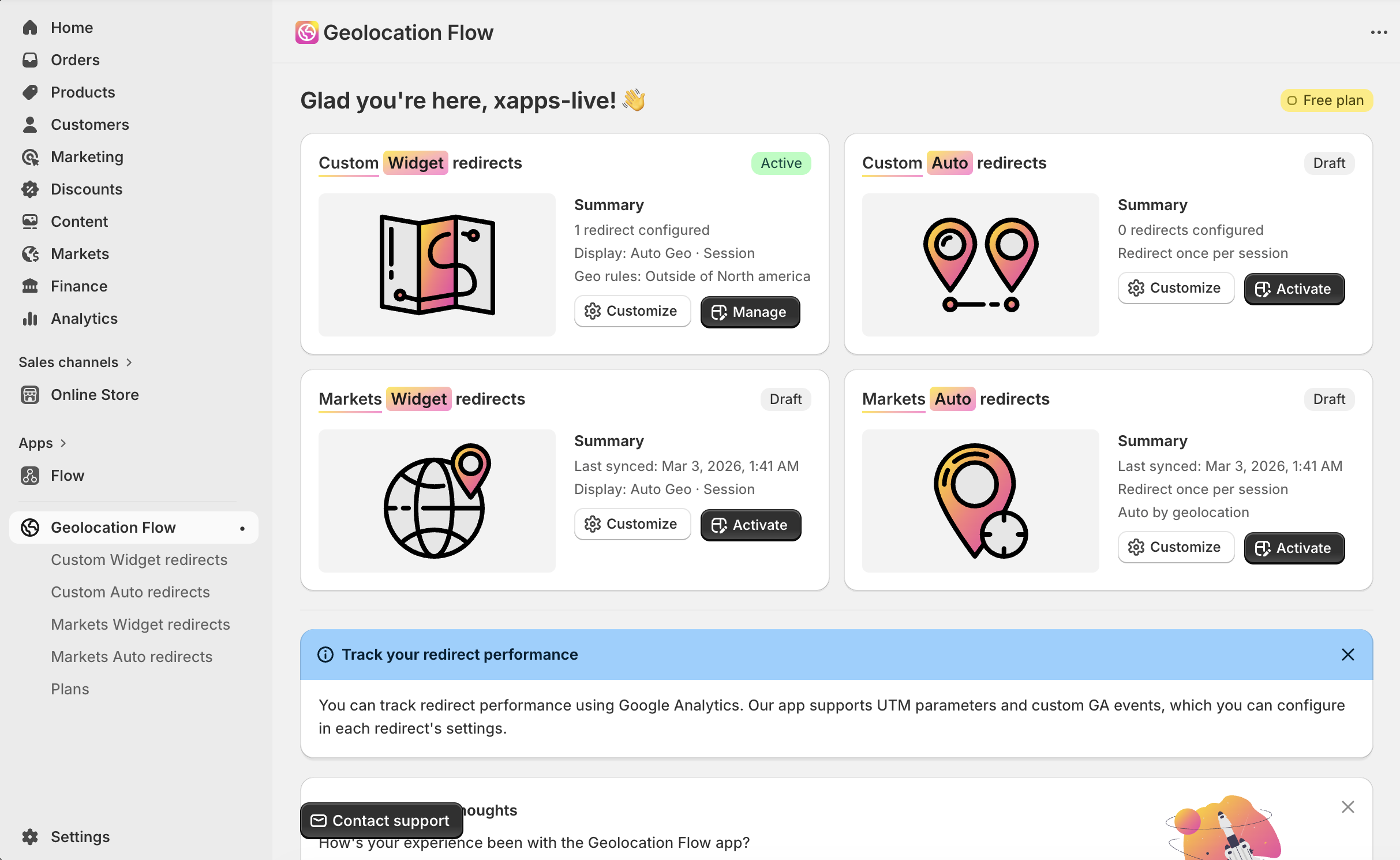
In-App Onboarding
After installation, follow the 4-step getting started guide on your dashboard:
Step 1: Choose Your Redirect Type
Pick the redirect method that fits your store:
- Widget redirects — Show a popup, top bar, or select widget prompting visitors to switch stores
- Auto redirects — Automatically redirect visitors to a different URL based on their location
- Markets widget redirects — Show a Shopify Markets-powered selector for country, language, and currency
- Markets auto redirects — Automatically redirect visitors to the correct Shopify Market
Step 2: Configure Your Redirects
Set up your redirect rules — add redirect buttons (for widgets) or auto-redirect rules, customize the widget appearance, and configure geo targeting.
Step 3: Test in Preview Theme
Before going live, test your setup:
- Preview redirects in the live theme customizer, or enable the app embed in any preview/draft theme to test there
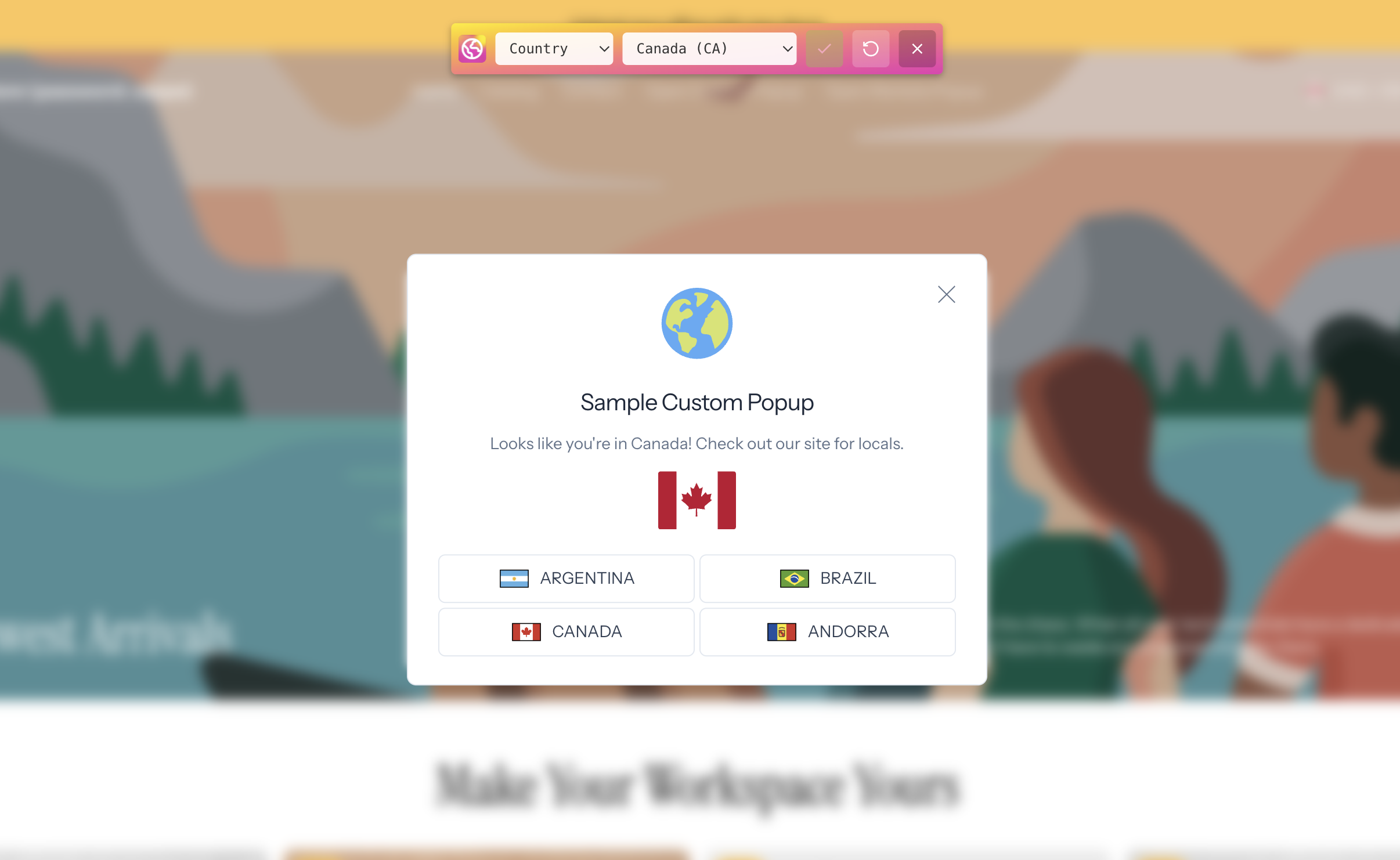
- Use the Geo Simulator by appending
?xgeo-sim=1to any storefront URL — this loads an overlay that lets you simulate visits from different countries (the theme app embed must be enabled first)
Step 4: Activate in Live Theme
Once you’re satisfied with testing, enable the app embed on your live/published theme. See Activating Theme Embed for detailed instructions.
Selecting a Plan
Geolocation Flow offers two plans:
| Free | Pro ($9.99/mo) | |
|---|---|---|
| Redirect buttons | 1 | Unlimited |
| Auto-redirects | 1 | Unlimited |
| Widget customization | Basic | Full — custom styles, CSS & logic |
See the full Plans Comparison for a detailed feature breakdown.
Developer plan: If you’re building or testing on a development store, you can request a free Dev plan with all Pro features through the in-app contact form.
Next Steps
- Activating Theme Embed — required for all redirect types
- Custom Widget Redirects — set up popup-based redirects
- Markets Widget Redirects — use Shopify Markets integration
- Geo Targeting Rules — configure location-based display rules