 apps
apps
Markets Inline Widget
The Markets Inline Widget embeds a Shopify Markets-powered <select> dropdown directly in your theme layout. Visitors select their market (country, language, and/or currency) from the dropdown and are redirected to the correct Shopify Market URL.
Like the Markets Widget Redirects popup, this widget syncs with your Shopify Markets configuration. Click Sync in the dashboard to pull the latest market data.
Adding to Your Theme
The markets inline widget is added as an app block in the Shopify theme editor:
- Go to Online Store → Themes → Customize
- Navigate to the section or template where you want the dropdown to appear
- Click Add block and select Markets Inline Dropdown
- Save the theme
App Block Settings
When you add the markets inline widget as an app block in the theme editor, the following settings are available in the block panel:
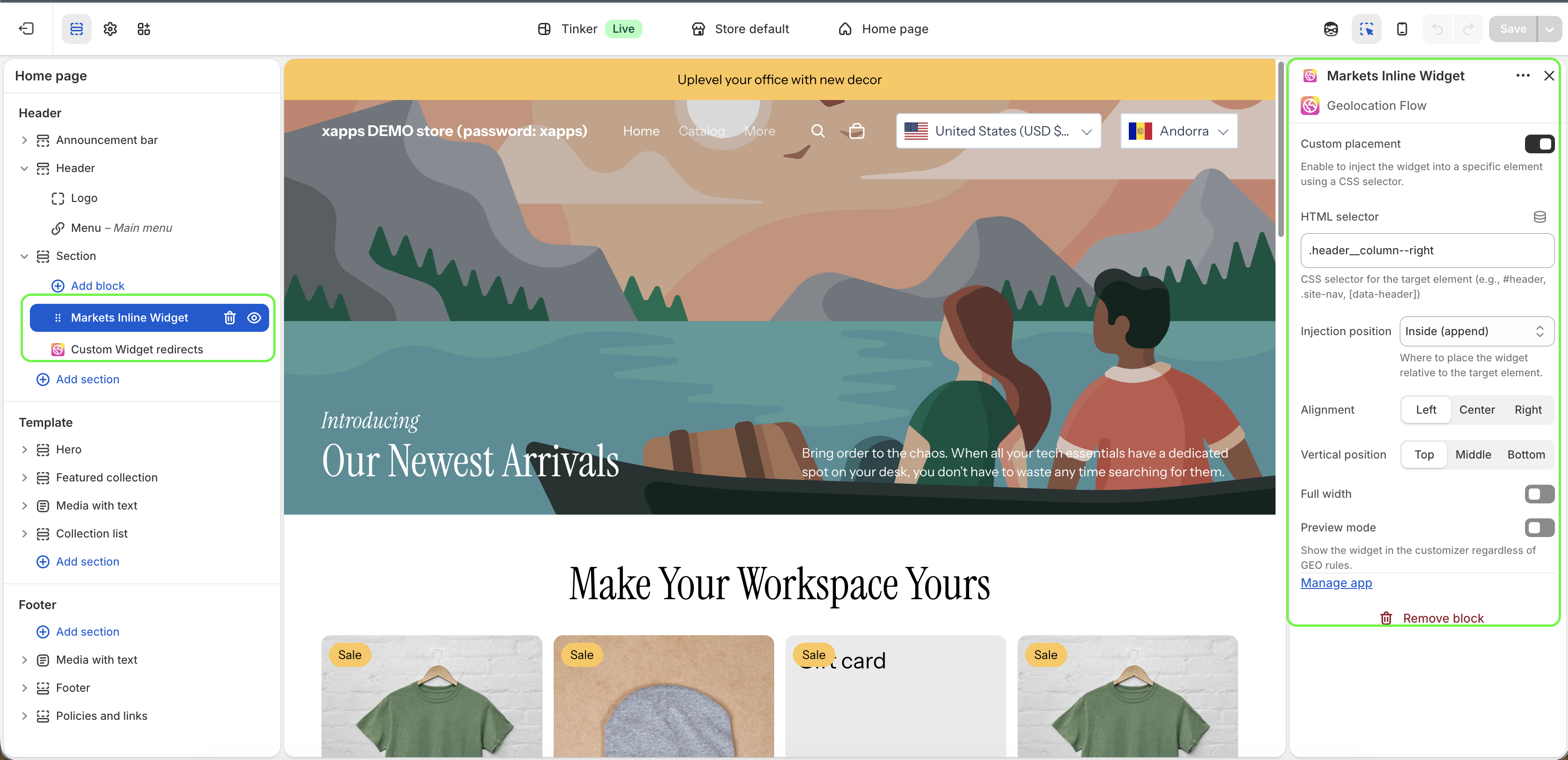
| Setting | Description |
|---|---|
| Alignment | Horizontal alignment of the dropdown — Left, Center, or Right |
| Vertical position | Vertical alignment within its container — Top, Middle, or Bottom |
| Full width | Stretch the dropdown to fill the full width of its container |
| Preview mode | Show the widget in the theme editor regardless of geo targeting rules — useful for positioning without needing to simulate a country |
| Custom placement | Inject the widget into a specific element using a CSS selector instead of the block’s default position |
| HTML selector | CSS selector for the target element (e.g., #header, .site-nav, [data-header]) — only used when Custom placement is enabled |
| Injection position | Where to place the widget relative to the target element — Inside (append), Before, or After |
Customize Page
Go to Geolocation Flow Dashboard → Markets Widget Redirects → Customize inline dropdown to configure the appearance.
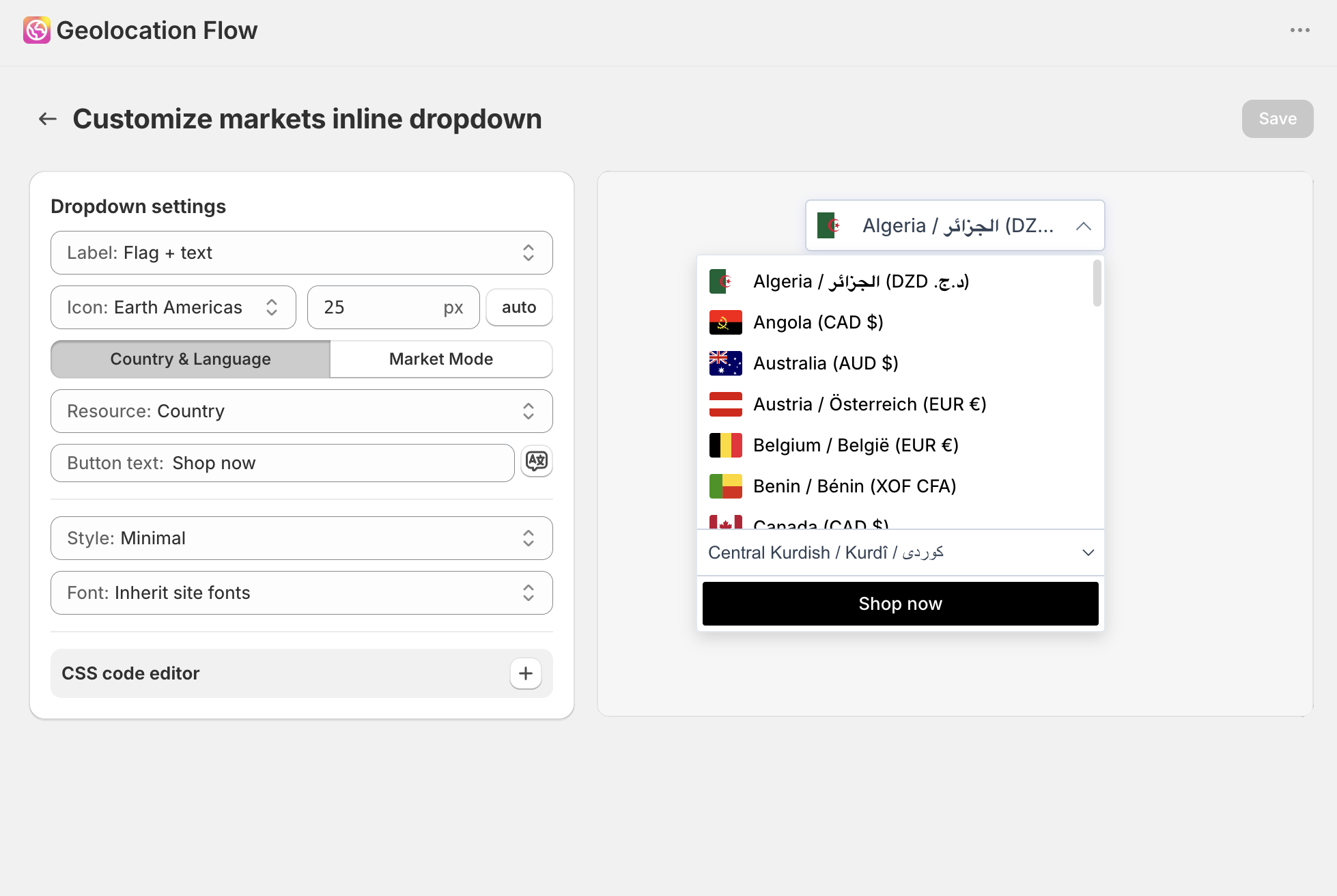
Label Format (Pro)
Pro plan only. Controls what each market option displays as in the dropdown:
| Format | Example |
|---|---|
| Country | United States |
| Country (native language) | États-Unis |
| Country + currency code | United States (USD) |
| Language | English |
| Language (native) | Español |
| Country & Language | United States — English |
| Country (native) & Language (native) | États-Unis — Français |
| Custom | (set your own pattern) |
Flag Display (Pro)
Pro plan only. Show a country flag next to each option:
- Flag + text — flag icon alongside the label
- Flag only — flag icon with no text
Default Selection (Pro)
Pro plan only. Controls the initial dropdown state before the visitor selects:
- Placeholder (default) — shows placeholder text
- First option — pre-selects the first market in the list
Placeholder Text & Translations (Pro)
Pro plan only. Set a custom placeholder label. Add a Shop Now button label translation for when the visitor confirms their market selection.
Templates (Pro)
Pro plan only. Pick from 6 built-in templates:
| Template | Description |
|---|---|
| Default | Fully customizable via dashboard style settings |
| Modern | Clean, elevated styling |
| Minimal | Stripped-back, text-only look |
| Rounded | Soft corners and subtle shadows |
| Glass | Frosted glass effect |
| Dark | Dark background with light text |
Font
Choose the font for the dropdown label:
- Inherit site fonts — uses your theme’s default font
- Or select a specific font: Arial, Georgia, Verdana, and others
Custom CSS (Pro)
Pro plan only. Add custom CSS for full design control.
Plan Gating
| Feature | Free | Pro |
|---|---|---|
| Markets inline dropdown (basic) | ✓ | ✓ |
| Label format | — | ✓ |
| Flag display | — | ✓ |
| Default selection | — | ✓ |
| Placeholder & translations | — | ✓ |
| Templates | — | ✓ |
| Custom CSS | — | ✓ |
Related Docs
- Markets Widget Redirects — popup version powered by Shopify Markets
- Geo Targeting Rules — control which visitors see the inline widget
- Markets Inline Widget — cookies, query parameters, and custom JS rules