 apps
apps
Markets Widget Redirects
Markets Widget Redirects display a popup, top bar, or select widget that lets visitors switch between your Shopify Markets — selecting their preferred country, language, and currency combination.
Shopify Markets Sync
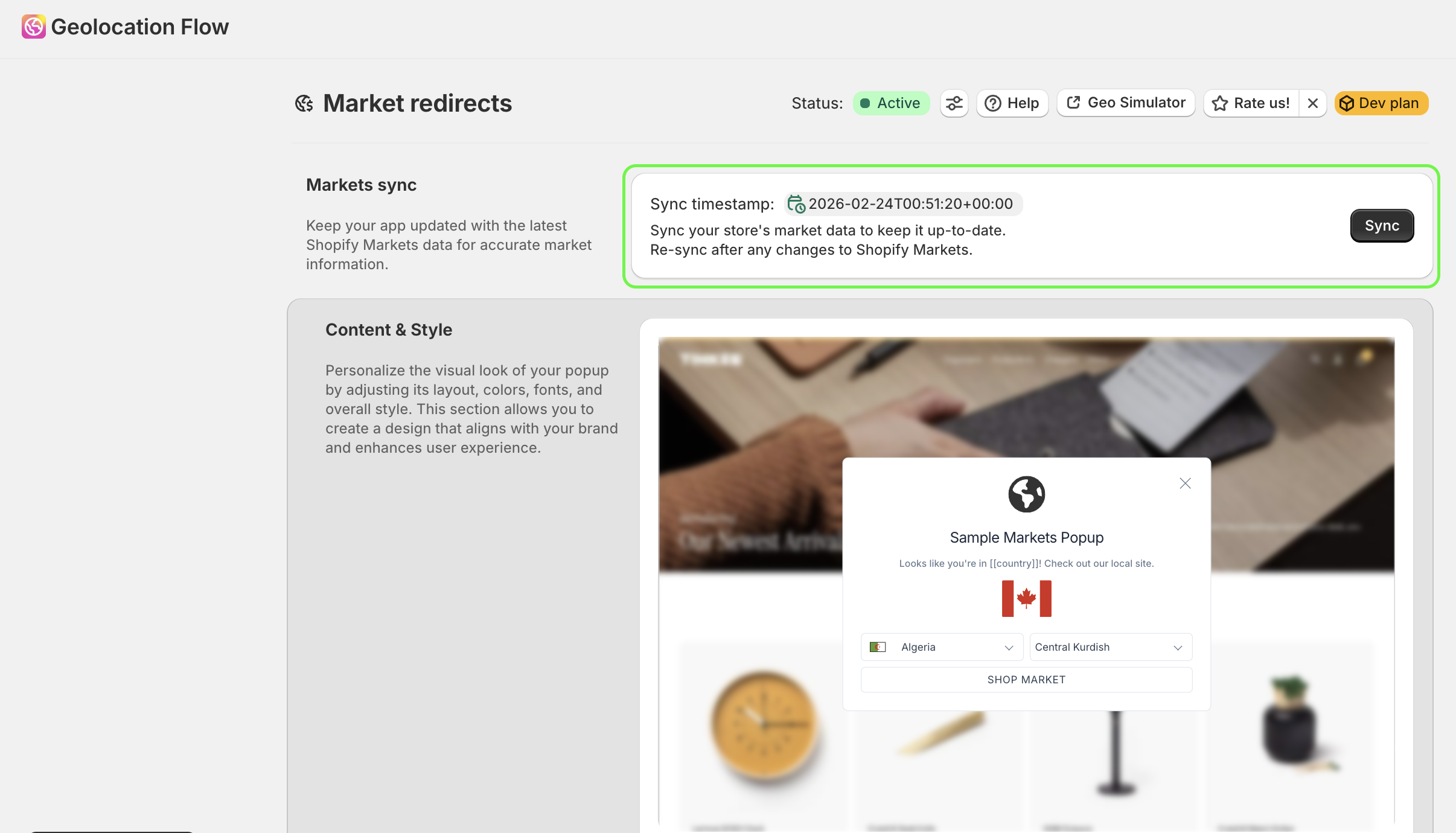
The Markets widget automatically syncs with your Shopify Markets configuration. When you add, remove, or update Markets in your Shopify admin, click Sync in the Geolocation Flow dashboard to pull the latest data.
The dashboard shows the last sync date so you know when data was last updated.
Widget Types
Choose how the markets selector appears on your storefront:
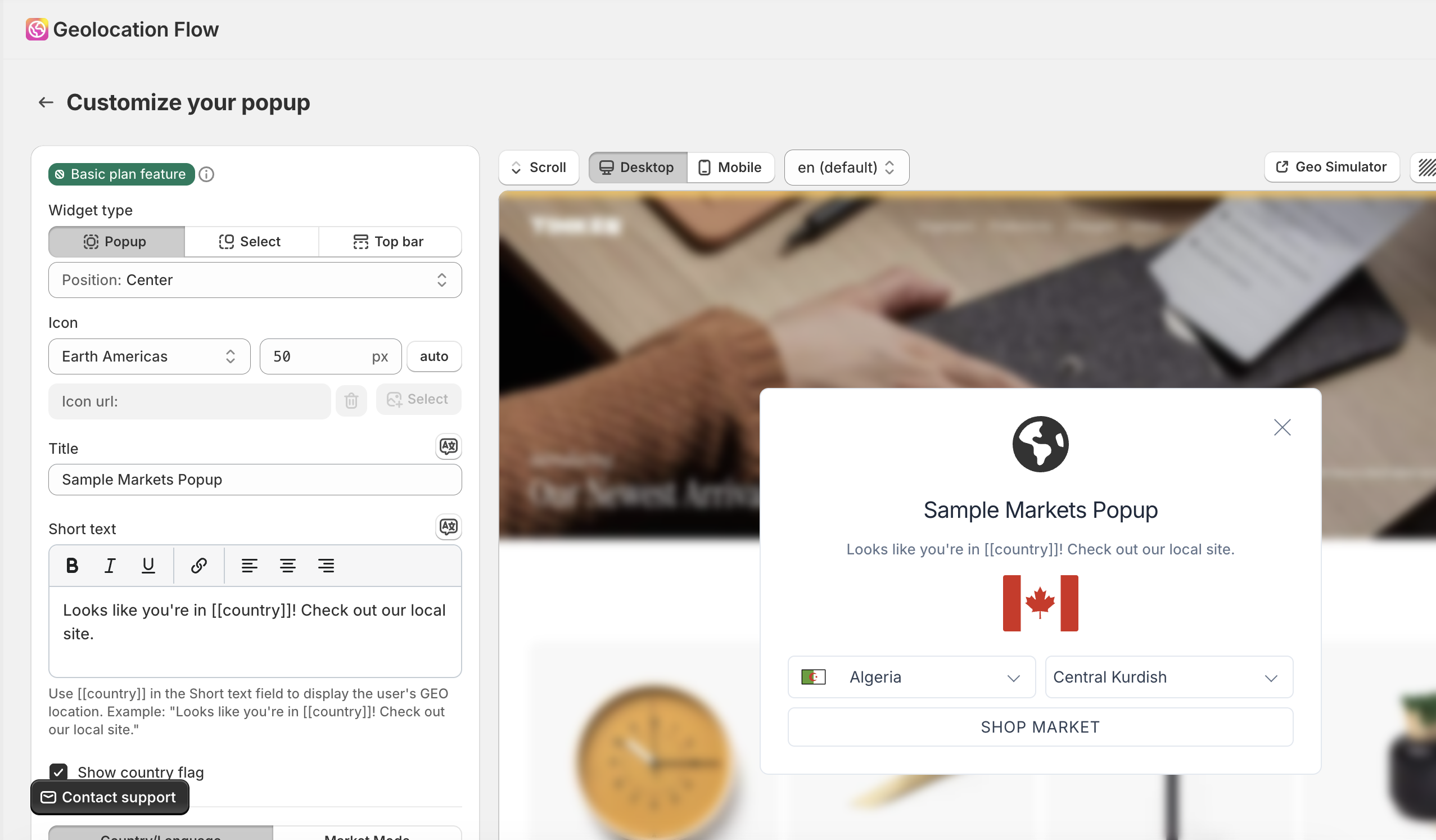
- Popup — a modal overlay with country/language selectors and a submit button
- Top Bar — a slim banner at the top of the page
- Select — a compact select widget
Select Modes
Control how visitors choose their market:
Country & Language Mode
Shows two separate selectors:
- A country selector (with optional flag icons)
- A language selector
Visitors pick their country and language independently.
Markets Mode
Shows a single combined selector where each option represents a full market (combining country, language, and currency).
Content Display Formats
Choose from 30+ display formats for how each market option is labeled in the selector. Formats combine different elements:
Country-based formats:
- Country name (e.g., “Canada”)
- Country in native language (e.g., “Kanada”)
- Country + currency code (e.g., “Canada (CAD)”)
- Country + currency symbol (e.g., “Canada ($)”)
- Country + currency code & symbol (e.g., “Canada (CAD $)”)
Language-based formats:
- Language name (e.g., “English”)
- Language in native script (e.g., “Français”)
Currency-based formats:
- Full currency name (e.g., “Canadian Dollar”)
- Currency code (e.g., “CAD”)
- Currency symbol (e.g., “$”)
- Code + symbol (e.g., “CAD $”)
Combined formats:
- Country + language (e.g., “Canada - English”)
- Country (native) + currency + language (native) — the default format
Customization
Colors & Fonts
| Setting | Description |
|---|---|
| Font | Inherit from theme or set a custom font family |
| Modal background | Widget background color |
| Modal text | Text color |
| Modal border | Border color |
| Selector background | Country/language selector background |
| Selector text | Selector text color |
| Button background | Submit button background |
| Button text | Submit button text color |
Button hover colors are automatically derived by swapping the button background and text colors.
Text & Translations
- Customize the title, placeholder text for selectors, and button label (e.g., “Shop now”)
- Add per-language translations so the widget displays in the visitor’s language
Country Flags
Toggle country flag icons next to each option in the selector.
Templates
Choose from built-in templates. The Default template supports full customization through the dashboard style settings (colors, fonts, etc.). Other built-in templates use fixed styles — to modify them, upgrade to the Pro plan and use the custom CSS code editor.
Custom CSS (Pro)
Pro plan only. Add custom CSS for complete design control.
Related Docs
- Display Settings — configure display frequency, delay, and page visibility
- Geo Targeting Rules — control when the widget displays
- Markets Widget — CSS variables, data attributes, and custom JS rules