 apps
apps
Display Settings
Display settings control how often the widget is shown, when it appears, and on which pages.
Display Frequency (Pro)
Pro plan only. Choose how often the widget is shown to returning visitors:
| Option | Behavior |
|---|---|
| Every browser session | Shown once per session; resets when the browser/tab closes (default) |
| Every page load | Shown on every single page load |
| Every 7 days | Shown once, then hidden for 7 days after the visitor closes it (uses cookies) |
Widget Display Delay
Pro plan only. Set a delay (in seconds) before the widget appears after the page loads. Set to 0 for instant display.
This is useful when you want visitors to see the page content before the redirect widget appears.
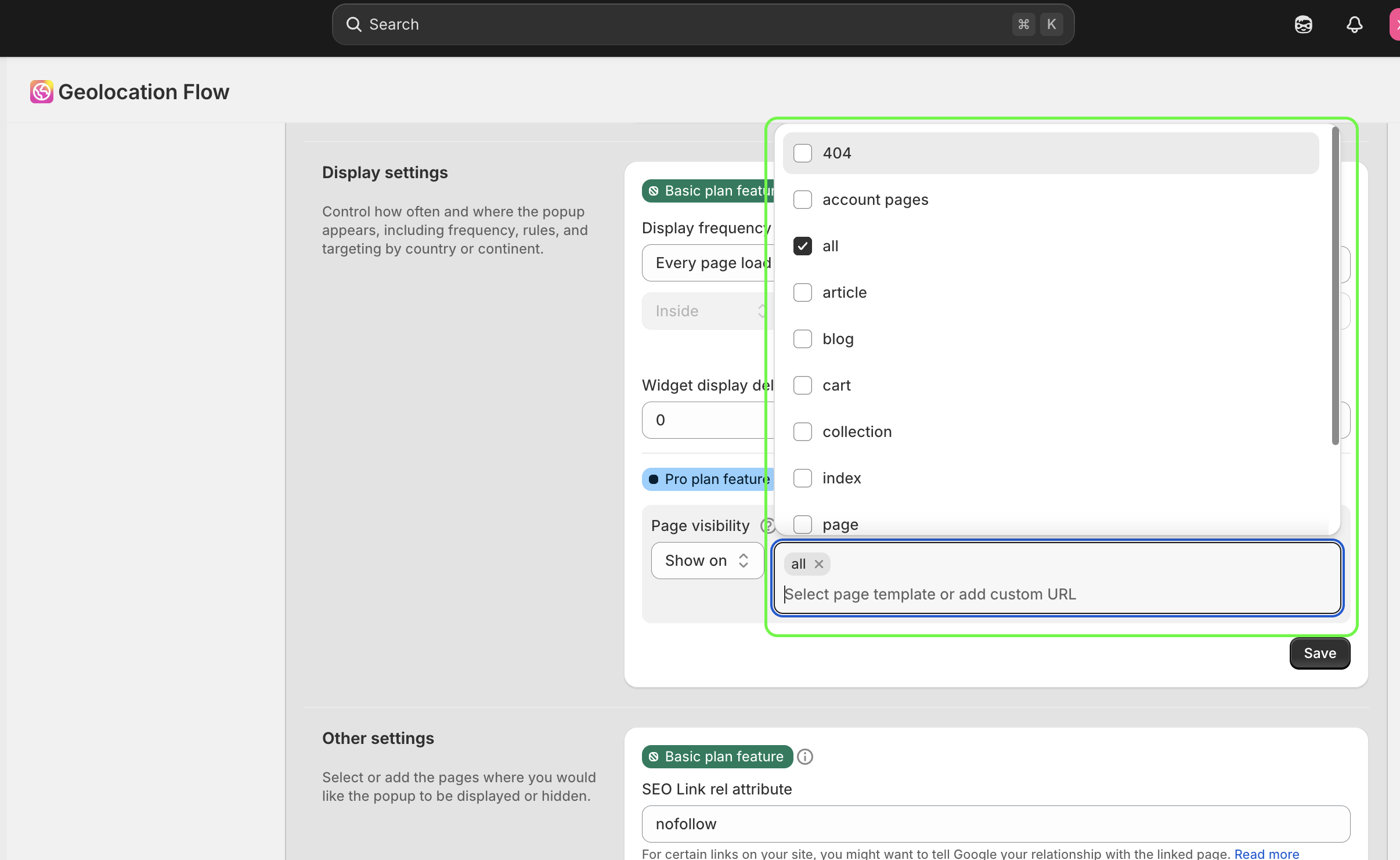
Page Visibility
Pro plan only. Control which pages show the widget.
Template Targeting
Choose a display mode:
- Show on selected pages — the widget only appears on the selected templates
- Hide on selected pages — the widget appears everywhere except the selected templates
Available page templates:
- All pages
- Home page (index)
- Product pages
- Collection pages
- Pages
- Blog pages
- Article pages
- Cart
- 404 page
- Search page
- Account pages
Custom URLs
In addition to template targeting, you can add specific custom URLs to fine-tune page visibility.
SEO Link Attributes
Pro plan only. Set a custom rel attribute on redirect links (e.g., nofollow, sponsored). This tells search engines how to treat your redirect links.
Default Settings
| Setting | Default |
|---|---|
| Display frequency | Every browser session |
| Widget delay | 0 (instant) |
| Page templates | All pages |
| Hide on selected | No |
Related Docs
- Geo Targeting Rules — control who sees the widget
- UTM & Tracking — track redirect performance
- Plans Comparison — see which features are available on each plan